Essential Computer Maintenance Tips for Small Businesses
In today's digital age, small businesses rely heavily on technology to operate efficiently. Computers are at the heart of this technology, making regular maintenance crucial for ensuring smooth operations. Neglecting computer upkeep can lead to slow performance, data loss, and costly downtime. This blog post will explore essential computer maintenance tips that every small business should implement to keep their systems running optimally.

Understanding the Importance of Computer Maintenance
Before diving into specific maintenance tips, it's important to understand why regular computer maintenance is essential. Here are a few key reasons:
Performance Optimization: Regular maintenance helps keep computers running smoothly, ensuring that applications load quickly and tasks are completed efficiently.
Data Security: Routine updates and maintenance can protect sensitive data from cyber threats and data breaches.
Cost Savings: Preventative maintenance can help avoid expensive repairs and replacements by identifying issues before they become serious problems.
Longevity: Proper care can extend the lifespan of computer hardware, delaying the need for costly upgrades.
Regular Software Updates
One of the simplest yet most effective maintenance tasks is keeping software up to date. This includes the operating system, applications, and antivirus programs. Here’s how to manage updates effectively:
Set Automatic Updates: Most operating systems and applications offer automatic update options. Enable these settings to ensure you receive the latest security patches and features without manual intervention.
Schedule Regular Check-Ins: Even with automatic updates, it's wise to periodically check for updates manually. This ensures that nothing slips through the cracks.
Educate Employees: Make sure your team understands the importance of updates and how to install them. This can prevent security vulnerabilities caused by outdated software.
Regular Hardware Maintenance
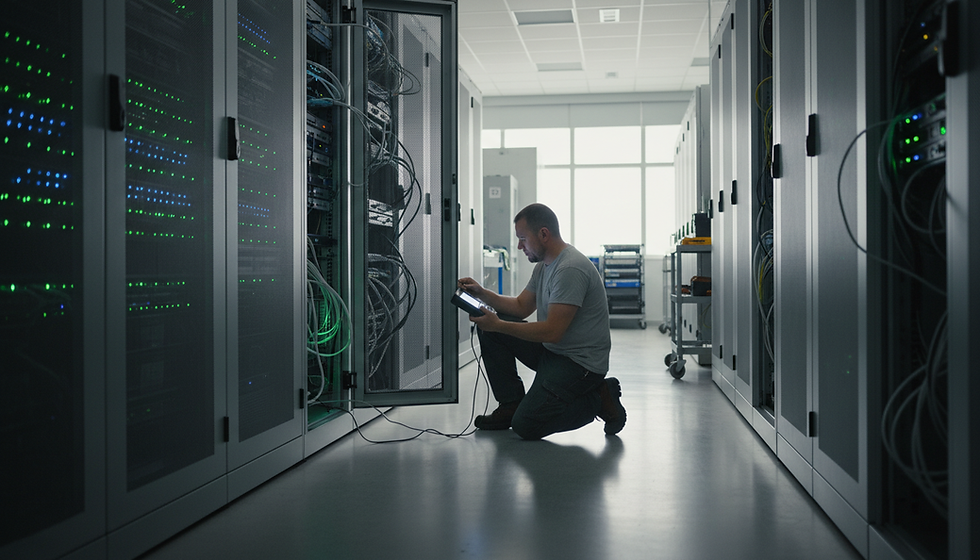
While software is crucial, hardware maintenance is equally important. Here are some tips for keeping your computer hardware in top shape:
Dust and Debris Removal: Dust can accumulate inside computers, leading to overheating and hardware failure. Schedule regular cleaning sessions to remove dust from fans, vents, and internal components.
Check Connections: Ensure that all cables and connections are secure. Loose connections can lead to intermittent issues and hardware failures.
Monitor Hardware Performance: Use diagnostic tools to monitor the performance of your hardware. This can help identify potential issues before they escalate.
Data Backup Strategies
Data loss can be devastating for small businesses. Implementing a robust data backup strategy is essential for protecting your information. Consider the following:
Use Cloud Storage: Cloud storage solutions offer a convenient way to back up data. Services like Google Drive, Dropbox, or dedicated backup solutions can automatically sync files to the cloud.
Schedule Regular Backups: Set a schedule for regular backups, whether daily, weekly, or monthly. This ensures that you always have a recent copy of your data.
Test Your Backups: Regularly test your backups to ensure that data can be restored when needed. This can save you from potential headaches during a data recovery situation.
Implementing Antivirus and Anti-Malware Solutions
Cybersecurity threats are a significant concern for small businesses. Protecting your systems with antivirus and anti-malware solutions is essential. Here’s how to do it effectively:
Choose Reliable Software: Invest in reputable antivirus and anti-malware software. Look for solutions that offer real-time protection and regular updates.
Run Regular Scans: Schedule regular scans to detect and remove any potential threats. This can help catch issues before they cause significant damage.
Educate Employees on Safe Practices: Train your team on safe browsing habits and how to recognize phishing attempts. This can significantly reduce the risk of malware infections.
Managing Storage Space
Running out of storage space can slow down computer performance and lead to data loss. Here are some tips for managing storage effectively:
Regularly Clean Up Files: Set aside time to review and delete unnecessary files, such as old documents, downloads, and temporary files. This can free up valuable storage space.
Use External Drives: For files that are not frequently accessed, consider using external hard drives or cloud storage to offload data from your primary computer.
Organize Files: Implement a clear file organization system. This makes it easier to find and manage files, reducing clutter and improving efficiency.
Monitoring System Performance
Keeping an eye on system performance can help identify issues before they become serious problems. Here’s how to monitor effectively:
Use Performance Monitoring Tools: Tools like Task Manager (Windows) or Activity Monitor (Mac) can provide insights into CPU and memory usage. Regularly check these metrics to identify any unusual spikes.
Set Performance Benchmarks: Establish baseline performance metrics for your systems. This allows you to quickly identify when performance dips below normal levels.
Address Issues Promptly: If you notice performance issues, address them immediately. This could involve freeing up resources, updating software, or consulting with IT professionals.
Creating a Maintenance Schedule
Establishing a regular maintenance schedule can help ensure that all tasks are completed consistently. Here’s how to create an effective schedule:
List Maintenance Tasks: Create a comprehensive list of all maintenance tasks, including software updates, hardware checks, data backups, and security scans.
Assign Responsibilities: Designate team members to be responsible for specific tasks. This ensures accountability and helps distribute the workload.
Review and Adjust: Regularly review the maintenance schedule to ensure it remains effective. Adjust tasks and frequencies as needed based on your business's evolving needs.
Training Employees on Best Practices
Your team plays a crucial role in maintaining computer systems. Providing training on best practices can significantly enhance your maintenance efforts. Consider the following:
Conduct Regular Training Sessions: Schedule training sessions to educate employees on software updates, data security, and safe browsing habits.
Provide Resources: Create easy-to-follow guides or resources that employees can reference when needed. This can reinforce best practices and ensure consistency.
Encourage Open Communication: Foster an environment where employees feel comfortable reporting issues or asking questions about computer maintenance.
Seeking Professional Help
While many maintenance tasks can be handled in-house, there are times when seeking professional help is beneficial. Here’s when to consider it:
Complex Issues: If you encounter complex hardware or software issues that your team cannot resolve, consider consulting with IT professionals.
Regular Audits: Schedule regular audits with an IT service provider to assess your systems and identify potential vulnerabilities.
Upgrades and Installations: For major upgrades or installations, professional assistance can ensure that everything is set up correctly and efficiently.
Conclusion
Regular computer maintenance is essential for small businesses to operate efficiently and securely. By implementing these essential tips, you can optimize performance, protect sensitive data, and extend the lifespan of your systems. Remember, a proactive approach to maintenance not only saves time and money but also enhances productivity and peace of mind. Start today by assessing your current maintenance practices and making necessary adjustments to ensure your technology is always in top shape.


Comments